2.6 Target state architecture
Methodically approaching your conceptual model of the future and the technologies that fulfill that future is crucial if you want to achieve or surpass your project goals.
As always, we want to make sure we have all the necessary inputs to create our target state architecture. Our definition of ready aligns us for success in this activity, and relies on the outputs created from previous chapters.
Before starting
Your target state architecture is a conceptual model of the future — the blueprint you’ll use to plan resources, harmonize operations across teams, and make sure important elements of the design aren’t forgotten. The principal output is a service catalog: a list of products, technologies and design patterns that are candidates to deliver the product. This chapter is ideation — proposing ideas and adding them to the catalog. The next chapter turns that catalog into a concrete architecture.
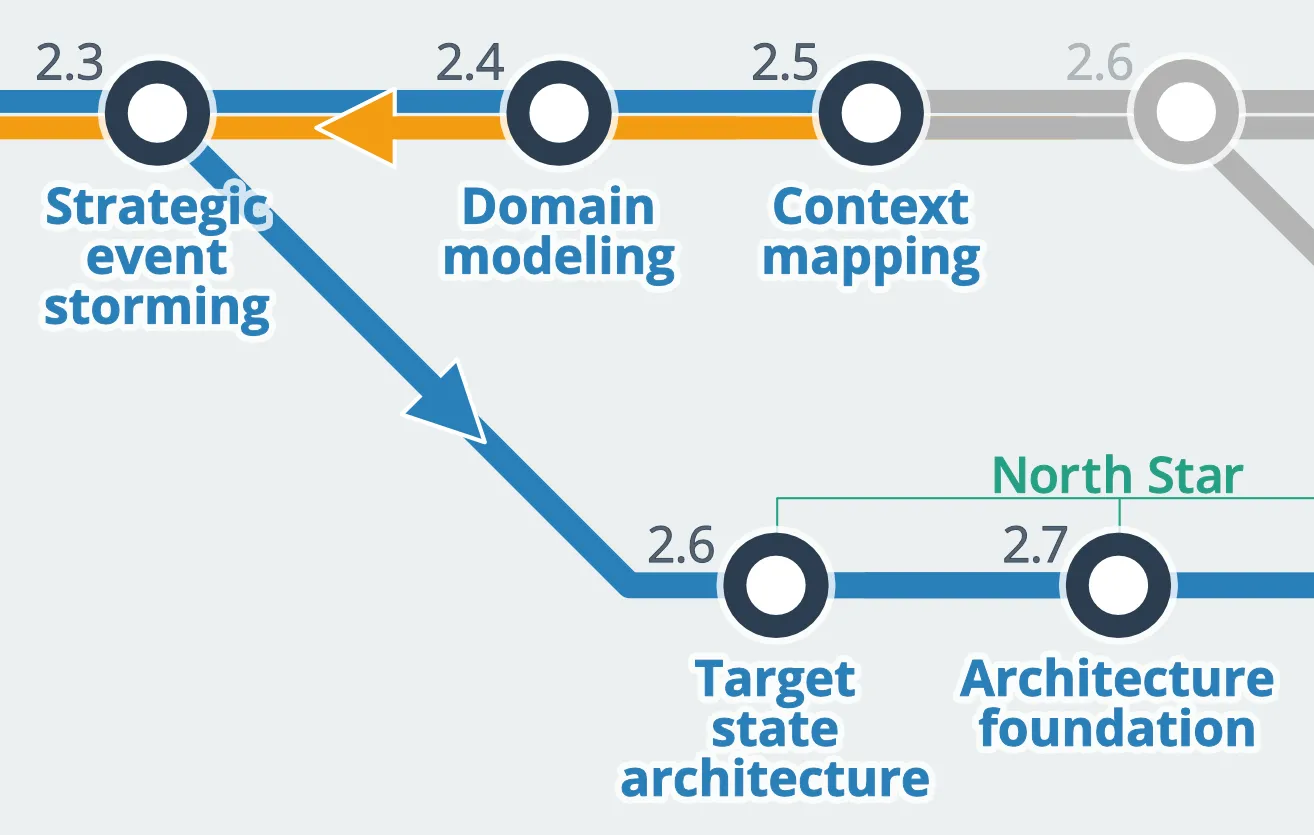
Target state architecture sits alongside 2.4 Domain modeling and 2.5 Context mapping; those activities add fidelity to the product’s overall shape and can run in parallel.
Guide to target state architecture
The first step in beginning your target state architecture is to conduct a consistency check, making sure that all of your design artifacts are in-sync. This means reviewing prior design artifacts and checking to make sure there are no discrepancies. Doing this periodically is a good idea — design artifacts are not “one and done,” they are living designs that change over time.
Once everyone is comfortable that your artifacts are in a good state, it’s time to start planning for the architectural components your product will need. Some systems are simple, while others are complicated. Your target state architecture will scale accordingly.
For example, if your product’s scope is, “Display a user’s current account balance on a web page,” you have a fairly simple architecture in front of you. You probably don’t need persistence or a database. The system is likely stateless and may not even need much of a security model. Your architecture might amount to a Lambda function and an S3 bucket for some HTML templating.
On the other side of that digital conversation — the bank that holds those accounts — it becomes far more complicated. Advanced security tooling, robust and scalable services, secure data channels, a strongly consistent data repository. Security products like AWS Cognito, an event bus or event streaming repository, a persistent event log or auditable relational database, and infrastructure to protect everything. It gets complicated fast.
We’ll be very intentional in planning out those systems. For that, we turn to gap analysis: writing down questions, connecting them to the components they affect, and following up to answer them. “How are we going to secure personally identifiable information? How do we migrate our legacy database to the cloud? Can we introduce new APIs without breaking the old ones?” You can use the gap analysis template as a starting point.
The service catalog
The service catalog identifies all of the elements of your product architecture, providing a complete index of products, technologies, and design patterns that you will need to deliver the product. It’s the input into chapter 2.7 Architecture foundation — your tool chest when you model your product architecture.
At this stage we’ll be exploring architectural patterns, narrowing them down, and selecting candidate technologies and products that seem fit for purpose. Your service catalog should itemize every technology you need: Languages, SaaS and PaaS services, open source tools, third party products. You can even include architectural stereotypes, such as calling out an “event driven architecture.” (You’ll go deep into architectural stereotypes in chapter 2.7.)
The service catalog serves a couple of important purposes beyond being a list:
- Provides a ubiquitous registry that lists common tools, software, and technologies the team should use — it’s your “toolbox.”
- Provides a framework for exploring alternative or new technologies. Ideas and candidate technologies can be added to the service catalog, offering a central place to manage the evaluation of new options.
- Keeps everyone focused on reusing core technologies and design patterns whenever possible.
That last point is particularly important for new hires, new team members, and other teams coming onto your tech stack. It also keeps people from picking up any random tool when a perfectly suitable, pre-existing option is already available. New tools aren’t banned — the last thing we want is to restrict innovation — but there should be a path for proposing them, with guardrails.
For smaller organizations, a service catalog page in your project wiki is a great beginning. You can use this template as a starting point.
Component map
This is ideation. Propose ideas, discuss them, and turn the more viable proposals into formal architecture decisions. Sometimes this is easy. Are you delivering a web product? HTML is an obvious choice. But what tools will render the HTML? Server side or client side? Highly dynamic or static?
Start with the big picture. The larger decisions will inform the smaller ones. For example, is a Lambda (serverless) architecture desirable? That will impact your language choices, how you render the HTML for the web site, and other things.
It’s helpful to tackle these decisions from several angles. There are product, technical and operational dimensions — and within each, specific components to consider. A target architecture component map helps organize all of these dimensions. The dimensions you choose may vary by project. Add to it, or remove from it, as your team agrees is appropriate.
Once the team agrees on a specific technology, add it to your service catalog. Where there are multiple options, add them all — denoting each as “proposed,” pending further evaluation. It will be iterative, and likely require multiple working sessions. Take time to read the next few chapters of the playbook — you may find it useful to look ahead, borrowing a few preliminary steps from upcoming activities.
Goals and impact
This activity has clear goals that align with specific, long-term impact to the project. These are, respectively:
Inputs
- Participation from team leads, architectural leadership, and delivery team.
- Event maps expressing the business processes in the current increment.
- Domain definitions for each business domain in the current increment.
- At least a partial list of your bounded contexts, along with their entities, aggregate roots, context maps and dependencies.
- Desired business capabilities and functions, user journeys, use cases.
- Non-functional requirements (cloud vs. on-prem, regulatory, availability, performance expectations, etc.)
Process
This is an iterative exercise. Start with big picture architectural elements, and begin exploring ideas to find suitable technologies. Where appropriate, you may need to run a spike or breakout session to do additional analysis. As candidate technologies are fleshed out, your service catalog (and some pieces of your functional architecture, which we’ll look at in chapter 2.9) will start to come together.
Don’t forget about your non-functional requirements, like performance goals and scalability requirements — not to mention long-term growth and maintainability. These should be reduced to specific, functional requirements so that you have clear objectives (and you can measure success).
You’ll also want to consider team capabilities and skills. While embarking on a new project using functional programming and Elixir might be exciting — it may not make sense if you have several hundred Java programmers on staff.
Prepare
- Prepare your team for the consistency check. I recommend scheduling this as a separate activity, and delegating specific elements so the team can work in parallel. This doesn’t need to be a grueling or lengthy exercise, but you do want to make sure you are working from accurate design artifacts.
- Share the scope of each target state architecture working session with everyone who will be participating in the working session. Scope your workshops accordingly. I like to plan between 2 and 4 hours for a workshop, giving the team plenty of time to work independently on breakout tasks.
- Get your gap analysis tooling ready. This can be as simple as a wiki page where specific questions, or “gaps” in the architecture are noted. You can use this template as a starting point.
- Appoint someone to keep track of questions raised during the workshop, and make sure they are captured in your gap analysis tool. This could be a moderator, or a team member focused entirely on capturing questions and managing the gap analysis.
- Set up your service catalog template and make sure the team has access to it. You can get started with a simple wiki page using this template (or, you can use more enterprise-scale solutions to manage large, company-wide service catalog needs).
Execute
- Run your consistency check. Review artifacts from previous activities to ensure they are in-sync with each other, and make corrections where you find discrepancies:
- Are your business capabilities and functions clearly and correctly stated?
- Do your OKRs align with business drivers, and do you have clear metrics that will demonstrate, quantitatively, the success of each?
- Are your event maps, user journeys, and use cases all correctly stated and in-sync with each other?
- Has your ubiquitous language been uniformly adopted, and does it make sense within each business context?
- As you proceed with the design activity, make sure your moderator is capturing unanswered questions. Questions that arise need to be dealt with before moving on:
- If they can be answered, document the answers collaboratively. Add sufficient detail to provide enough information so that more detailed design can proceed uninterrupted.
- If sufficient detail isn’t available, capture the question as a gap analysis. Do this collaboratively, so that as much detail as possible is captured up-front.
- Identify your target state architecture components.
- Identify your architectural component map. Keep in mind that your system will have at least three essential dimensions to consider:
- Product architecture. The design and architecture that backs up the product design. You’ve already created a significant portion of it: Strategic event maps, business capabilities and functions, ubiquitous language, living documentation, your value stream.
- Technical architecture. Application architecture and supporting components: testing infrastructure, platform selection, data storage and management, security.
- Operational architecture. It’s a mistake to think of operations as “something we do after we build it.” How you deploy, what IaC (automation) you’ll use, your delivery pipeline, and scalability model are just a fraction of what comes into play once a product goes to production.
- Identify your architectural component map. Keep in mind that your system will have at least three essential dimensions to consider:
- Identify candidate technologies that are fit for purpose in each component category. Add your identified technologies to your service catalog. You can use this template as a starting point.
- If the choice is clear, it may be a simple matter of adding it to the service catalog.
- If there are open questions about fit for purpose, or if there are several competing options to evaluate, add the technology with a “proposed” status.
- As needed, schedule spikes and breakout sessions to allow the team to explore different options. Your team will need to explore different technical opinions, compare one to another, and likely perform some experiments before reaching agreement on what technologies “make the cut.”
Outputs
- Verified consistency check. A review of your design artifacts, ensuring that each artifact (such as use cases, user journeys, event maps, and product vision) are all consistent.
- Component map. A project-level overview of all the different project capabilities you need to plan for (such as testing, deployment, release management, automation, data management, security, and more).
- Service catalog. A list of technologies that will be used in product delivery. The list should provide a mechanism to monitor and review proposed technology choices.
Your service catalog is a living document, just like all of your design artifacts. It represents the current and best thinking in your architecture — but it will change over time. Keep it up to date, and coach your team that new technologies are fine, but will need to go through an appropriate review process.
In the next chapter, 2.7 Architecture foundation, we’ll leverage the service catalog to build the foundation of our product architecture.